
Google Play Services – Complete Guide
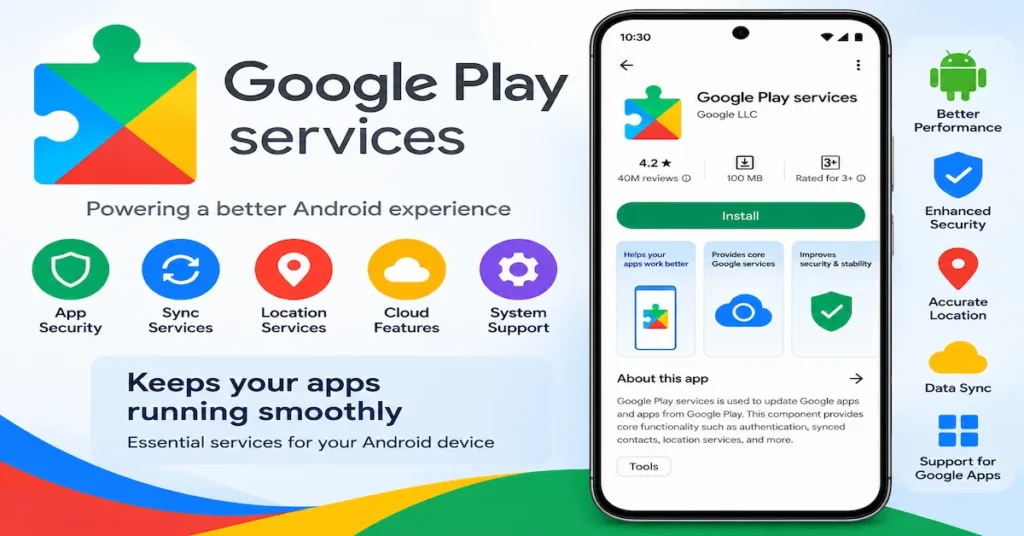
Google Play services Android devices ka ek important system component hai jo applications ko different Google services aur device-level functionality ke saath connect karne mein help karta hai. Ye Google Play Store se alag hai. Google ke official documentation ke according, Google Play services supported Android devices par core background services provide karta hai aur apps ko authentication, location, Maps aur other APIs jaise features use karne mein support karta hai.
Google Play Services Kya Hai?
Google Play services Android ecosystem ka ek background component hai. Bahut si applications Google ke different APIs aur services ko access karne ke liye is component par depend kar sakti hain.
Simple words mein, Google Play Store aur Google Play services ka kaam alag hai. Play Store applications ko search aur install karne ke liye use hota hai, jabki Play services background mein supported applications ko required Google functionality provide karne mein help karta hai.
Google ke official support documentation ke according Google Play services Google Play Store app se different hai.
Google Play Services Kaise Kaam Karta Hai?
Google Play services background mein Android applications aur Google services ke beech communication ko support karta hai.
Kisi application ko agar location, authentication, Maps integration ya other supported Google functionality ki requirement ho, to developer Google Play services ke available APIs ka use kar sakta hai.
Isliye users ko har baar directly Google Play services open karne ki zarurat nahi hoti. Ye mostly background mein required services provide karta hai.
Google Play Services Features
Google Play services mein different APIs aur services available hain jo Android applications ko additional functionality provide karne mein help karte hain.
1. Google Account Integration
Kuch applications Google account authentication ke liye Google Play services ke APIs ka use kar sakti hain.
Isse supported applications mein Google account-based sign-in aur related functionality possible ho sakti hai.
2. Location Services
Google Play services location-related functionality provide karta hai. Developers iska use location-based applications aur features ke liye kar sakte hain.
Location permission dene se pehle users ko ye check karna chahiye ki application ko location access ki actual requirement kyun hai.
3. Google Maps Integration
Maps-based applications Google Play services ke supported APIs ka use kar sakti hain.
Iska use maps display karne, location information process karne aur location-based features provide karne mein ho sakta hai.
4. Notifications
Supported applications Google services ke through notification aur messaging-related functionality provide kar sakti hain.
Isse users ko important app updates aur notifications receive karne mein help mil sakti hai.
5. Security-Related Features
Google Play services Android ecosystem mein different security-related capabilities ko support karta hai.
Google ke official documentation mein Play Protect aur other security and reliability features ka bhi mention hai.
Google Play Services Aur Google Play Store Mein Difference
Ye dono names similar hain, lekin dono separate Android components hain.
Google Play Store
Google Play Store ka primary use applications aur digital content discover aur install karne ke liye hota hai.
Users Play Store se:
- Apps search kar sakte hain
- Games find kar sakte hain
- Applications install kar sakte hain
- Available app updates check kar sakte hain
- App information aur reviews dekh sakte hain
Google Play Services
Google Play services background functionality aur APIs provide karta hai.
Ye:
- Authentication
- Location
- Maps-related functionality
- Security
- Notifications
- Other Google APIs
jaise features ko support kar sakta hai.
Isliye Google Play services ko Google Play Store ka alternative nahi samajhna chahiye.
Google Play Services Update
Google Play services regularly update hota rehta hai. Updates mein bug fixes, compatibility improvements, security-related improvements aur new functionality aa sakti hai.
Supported Android devices par Play services updates automatically deliver ho sakte hain.
Google ke current documentation ke according Play services Android 7.0 aur later supported devices par supported hai.
Version numbers time ke saath change hote rehte hain, isliye kisi old article mein mentioned version ko permanently latest nahi maana chahiye.
Google Play Services Latest Version
Google Play services ka latest version regularly change hota hai.
Google ki official system-services documentation mein September 2026 ke recent releases listed hain. Isliye users ko apne device par currently installed version aur available update ko directly check karna chahiye.
Ek fixed version number ko long-term “latest version” kehna accurate nahi hoga.
Google Play Services Update Kaise Check Karein?
Agar lagta hai ki Google Play services outdated hai, to basic steps follow kar sakte hain:
- Android phone ka internet connection check karein.
- Google Play Store open karein.
- Google account sign-in status check karein.
- Available updates check karein.
- Android system update bhi check karein.
- Zarurat hone par phone restart karein.
Phone manufacturer ke according menu names thode different ho sakte hain.
Google Play Services Update Problem
Kabhi-kabhi Android phone par Google Play services se related update notification ya error दिखाई दे सकता है.
Possible reasons mein:
- Internet connection problem
- Insufficient storage
- Outdated Android version
- Temporary Google Play issue
- Device compatibility problem
shamil ho sakte hain.
Aise case mein pehle basic troubleshooting karein aur unofficial sources se system component install karne se avoid karein.
Google Play Services Not Working
Agar Google Play services properly work nahi kar raha hai, to sabse pehle identify karein ki problem ek application mein hai ya multiple applications mein.
Basic troubleshooting:
- Phone restart karein.
- Internet connection check karein.
- Google Play Store update status check karein.
- Android system updates check karein.
- Available storage check karein.
- Problematic application ko update karein.
Agar problem continue ho, to official Google/Android support instructions follow karna better hai.
Google Play Services Keeps Stopping
“Google Play services keeps stopping” type error kabhi-kabhi Android devices par appear ho sakta hai.
Is situation mein:
- Device restart karein.
- Internet connection check karein.
- Google Play Store open karke update status check karein.
- Android system update check karein.
- Required storage available hai ya nahi dekhein.
- Official support guidance follow karein.
Repeatedly unknown websites se files install karna avoid karein.
Google Play Services Battery Usage
Kuch users battery settings mein Google Play services ka usage dekh sakte hain.
Google ki official support information ke according Play services ko unnecessarily excessive battery ya mobile data use na karne ke liye designed kiya gaya hai.
Agar battery drain suddenly increase ho gaya hai, to complete battery usage report check karna better hai instead of automatically assuming ki problem sirf Google Play services ki wajah se hai.
Google Play Services Storage
Google Play services device mein installed system component hota hai aur iska storage requirement version aur device ke according vary kar sakta hai.
Agar phone mein storage kam hai, to unused applications, large videos, photos aur unnecessary files ko review karna useful ho sakta hai.
Sirf Google Play services ko remove karne ki koshish karna appropriate solution nahi hai.
Google Play Services Ko Uninstall Karna Chahiye?
Normal Android users ko Google Play services ko manually remove karne ki koshish nahi karni chahiye.
Google ki official support information ke according Google Play services ko normal method se force stop ya uninstall nahi kiya ja sakta.
System component hone ki wajah se unknown tools ke through ise modify ya remove karne se Android applications mein compatibility problems aa sakti hain.
Google Play Services Security
Google Play services Android ecosystem ke security aur reliability features mein important role play karta hai.
Users ko Google Play services ke modified versions ya unknown third-party files install karne se bachna chahiye.
Android device par system components ke liye official Google aur device-manufacturer sources ko preference dena better approach hai.
Google Play Protect
Google Play Protect Android devices par potentially harmful applications identify karne aur users ko security warnings provide karne mein help karta hai.
Agar phone kisi application ke regarding security warning show kare, to warning ko ignore karne ke bajay application source, permissions aur authenticity ko carefully review karna chahiye.
Google Play Services Aur App Compatibility
Kuch applications Google Play services ke APIs par depend kar sakti hain.
Google developers ko authentication, location, Maps, Games aur other supported services ke liye APIs provide karta hai.
Isi wajah se agar Play services outdated ya unavailable ho, to kuch applications ke specific features properly work na kar sakte hain.
Google Play Services Kin Devices Par Available Hai?
Google Play services supported Google-certified Android devices par available ho sakta hai.
Lekin har Android device mein Google Play services available ho, ye assume nahi karna chahiye. Device manufacturer, Google certification aur Android version ke according availability different ho sakti hai.
Google ke developer documentation ke according devices without Google Play Store may not have Google Play services installed.
Google Play Services Ka Importance
Android applications ke modern ecosystem mein Google Play services ka role important hai.
Ye developers ko common Google functionality integrate karne mein help karta hai, jisse har developer ko basic services independently build karne ki requirement kam ho sakti hai.
Users ke perspective se iska benefit ye hai ki supported applications ko required Google functionality background mein mil sakti hai.
Conclusion
Google Play services Android ecosystem ka ek important background component hai jo applications ko different Google services aur APIs ke saath connect karne mein help karta hai.
Isse Google Play Store ke saath confuse nahi karna chahiye. Play Store ka main purpose applications aur digital content ko discover aur install karna hai, jabki Google Play services supported apps ke liye background functionality provide karta hai.
Agar Google Play services outdated, unavailable ya error show kar raha ho, to basic troubleshooting ke saath official Google/Android guidance ko follow karna better hai. Unknown websites se modified system files install karna avoid karein.
Disclaimer: Yeh article sirf informational aur educational purpose ke liye hai. Google Play services ke features, versions, compatibility aur update behavior Android version, device manufacturer aur Google services availability ke according change ho sakte hain. Latest information ke liye official Google/Android documentation ko priority dein.
Google Play Services – Complete Guide
Part 1 mein humne Google Play services ka introduction, features, update, compatibility aur basic troubleshooting ke baare mein information dekhi. Ab Part 2 mein common problems, security, device support, FAQs aur important user tips ko detail mein samjhenge.
Google Play Services Error
Android phone mein Google Play services se related error kabhi-kabhi software configuration, outdated components, network problems ya temporary system issues ki wajah se aa sakta hai.
Agar error दिखाई दे, to sabse pehle:
- Phone restart karein.
- Internet connection check karein.
- Google Play Store ko open karke updates check karein.
- Android system update available hai ya nahi dekhein.
- Device mein sufficient storage available hai ya nahi check karein.
- Problem kisi particular app mein hai ya multiple apps mein, identify karein.
Agar error continue rahe, to official Google support instructions ko follow karna better hai.
Google Play Services Not Updating
Agar Google Play services update nahi ho raha hai, to multiple reasons possible hain.
Internet Connection
Weak ya unstable internet connection update process ko affect kar sakta hai.
Storage
Phone mein storage bahut kam hone par updates properly complete nahi ho sakte.
Android Version
Purane Android versions par latest functionality available na ho sakti hai. Device ke supported Android version ko check karein.
Google Account
Google Play Store mein account properly signed in hai ya nahi, verify karein.
Google Play Services Keeps Stopping
Agar Google Play services repeatedly stop ho raha hai, to issue ko ignore nahi karna chahiye, especially agar multiple applications affected hain.
Basic troubleshooting:
- Phone restart karein.
- Play Store mein available updates check karein.
- Android system update check karein.
- Internet connection verify karein.
- Storage space check karein.
- Official Google support guidance follow karein.
Random websites se modified system files install karna avoid karein.
Google Play Services Battery Drain
Battery usage dekhte waqt Google Play services ka naam दिखाई देना normal ho sakta hai, kyunki ye background mein multiple services support karta hai.
Agar battery usage unusually high lag raha hai, to overall battery report check karein.
Saath mein ye bhi check karein:
- Kaunse apps background mein active hain
- Location permissions
- Auto-sync settings
- Screen usage
- Background activity
Sirf Play services ko disable karna solution nahi hota.
Google Play Services Mobile Data Usage
Google Play services kuch background functions ke liye network connection use kar sakta hai.
Agar mobile data usage high दिखाई दे, to Android ke data-usage section mein complete breakdown check karein.
User ko unnecessary background activity aur unknown applications ko bhi review karna chahiye.
Google Play Services Ko Disable Karna Chahiye?
Google Play services Android ecosystem mein important functionality support karta hai.
Isliye normal users ko ise unnecessarily disable karne ki koshish nahi karni chahiye. Disable karne se kuch applications ya Google-dependent features properly work nahi kar sakte.
Agar troubleshooting ki zarurat ho, to official Android instructions ko priority dein.
Google Play Services Ko Clear Data Karna
Google Play services ke storage-related options Android device ke manufacturer aur version ke according different ho sakte hain.
Kisi system component ka data clear karne se pehle official instructions follow karna better hai, kyunki account-related ya application functionality temporarily affect ho sakti hai.
Agar problem simple restart ya update se solve ho rahi hai, to unnecessary advanced troubleshooting avoid karein.
Google Play Services Security
Google Play services ke saath related security ko seriously lena chahiye.
Users ko:
- Official Google components ko preference deni chahiye.
- Modified versions avoid karne chahiye.
- Unknown installation files se bachna chahiye.
- Suspicious websites par Google account details enter nahi karni chahiye.
- Android security updates ko ignore nahi karna chahiye.
System-level components ke liye trusted sources ka use karna important hai.
Google Play Services Aur Privacy
Google Play services different APIs aur services support karta hai. Specific app kis data ko access karti hai, ye app ke permissions aur implementation par depend karta hai.
Users ko Android privacy settings mein application permissions review karni chahiye.
Specially:
- Location
- Contacts
- Nearby devices
- Notifications
- Other sensitive permissions
ko app requirement ke according evaluate karein.
Location Permission
Agar koi application location access maangti hai, to permission dene se pehle reason samajhna useful hai.
Android mein available permission options device aur OS version ke according different ho sakte hain.
Agar kisi app ko location ki requirement nahi lagti, to user permission settings ko review kar sakta hai.
Google Play Services Aur Google Maps
Google Play services developers ko Maps-related functionality integrate karne mein help kar sakta hai.
Is wajah se location-based aur navigation-related applications mein Play services ka role ho sakta hai.
Maps functionality use karne wali application ke liye location permissions aur internet connectivity important factors ho sakte hain.
Google Play Services Aur Google Sign-In
Kuch applications Google account-based authentication ke liye Google services ka use kar sakti hain.
Agar Google Sign-In mein problem ho:
- Internet connection check karein.
- Google account status verify karein.
- Application update check karein.
- Google Play services update status check karein.
- Problem continue hone par application developer ya official Google support information check karein.
Google Play Services Aur Gaming Apps
Android games bhi supported Google services ka use kar sakte hain.
Depending on the game, Google Play services ke through sign-in, achievements, leaderboards ya other gaming-related functionality support ho sakti hai.
Har game mein same features available hon, ye necessary nahi hai.
Google Play Services For Developers
Developers ke liye Google Play services ka major benefit ready-to-use APIs hain.
Developers different functionality ke liye supported libraries aur APIs integrate kar sakte hain.
Examples:
- Authentication
- Location
- Maps
- Games
- Device connectivity
- Other Google services
Developers ko official documentation ke according compatible versions aur dependencies use karni chahiye.
Google Play Services Version
Google Play services ka version regularly update hota hai. Isliye old articles ya random websites par listed version numbers ko blindly trust nahi karna chahiye.
Current version ke liye official Google documentation ya device information ko check karna better hai.
Google Play Services Android Compatibility
Google ki official documentation ke according Google Play services Android 7.0 aur later supported devices par supported hai.
Lekin device-specific compatibility manufacturer, Google certification aur installed Android version ke according vary kar sakti hai.
Google Play Services Without Google Play Store
Kuch Android devices mein Google Play Store aur Google Play services available nahi hote.
Google ke developer documentation ke according devices without Google Play Store may not have Google Play services installed.
Aise devices par applications ko alternative service implementations ki zarurat ho sakti hai.
Google Play Services Update Ke Important Benefits
Updates generally:
- Bug fixes
- Compatibility improvements
- Security improvements
- API updates
- Performance-related improvements
provide kar sakte hain.
Exact changes har release ke according different ho sakte hain.
Google Play Services FAQs
Google Play services kya karta hai?
Google Play services Android applications ko different Google APIs aur background services use karne mein help karta hai.
Kya Google Play services Google Play Store hai?
Nahi. Google Play services aur Google Play Store separate components hain.
Kya Google Play services ko uninstall kar sakte hain?
Normal Android setup mein Google Play services ko uninstall ya force stop karna supported nahi hota.
Google Play services update nahi ho raha hai, kya karein?
Internet connection, storage, Google Play Store aur Android system updates check karein. Problem continue hone par official Google support instructions follow karein.
Google Play services battery consume karta hai?
Ye background mein supported services provide karta hai, isliye battery usage mein दिखाई दे सकता hai. Unusual usage hone par complete battery statistics check karein.
Kya Google Play services important hai?
Supported Google-certified Android devices mein ye multiple applications aur Google functionality ke liye important role play kar sakta hai.
Kya Google Play services ko disable karna safe hai?
Unnecessarily disable karna recommended nahi hai, kyunki kuch apps aur features properly work nahi kar sakte.
Google Play services update kaise check karein?
Device aur Android version ke according update information Google Play Store ya system settings mein available ho sakti hai.
Kya Google Play services sabhi Android devices mein hota hai?
Nahi. Availability device manufacturer, Google certification aur Android configuration par depend kar sakti hai.
Google Play services error kaise fix karein?
Basic steps mein device restart, internet check, available updates aur storage check karna shamil hai.
Final Verdict
Google Play services Android ecosystem ka important background component hai jo applications ko authentication, location, Maps, notifications, security aur other supported Google functionality ke saath connect karne mein help karta hai.
Users ko Google Play services ko Google Play Store se alag samajhna chahiye. Play Store applications aur digital content ke liye primarily use hota hai, jabki Play services background APIs aur services provide karta hai.
Agar Google Play services se related problem aaye, to pehle simple troubleshooting steps follow karein. Official updates aur trusted Google/Android documentation ko preference dein aur modified ya unknown system files se avoid karein.
Privacy aur security ke liye Android permissions ko regularly review karein aur Google account credentials, passwords aur other sensitive information ko private rakhein.
Disclaimer: Yeh article sirf informational aur educational purpose ke liye hai. Google Play services ke features, versions, APIs, compatibility aur availability time ke saath change ho sakti hai. Latest information ke liye official Google aur Android documentation ko priority dein.